





Blogs
- Why Currency Counting Machine Maintenance Matters in the UAE
- Daily Cleaning Routine for Currency Counters
- Weekly Maintenance Tasks
- Monthly Inspection and Preventive Maintenance
- How to Clean a Currency Counting Machine: Step-by-Step
- Common Currency Counter Errors and Troubleshooting
- Get in touch with the Ostmena
- How to Extend Your Currency Counter's Lifespan
- DIY Cleaning vs. Professional Servicing: When to Call the Experts
- Frequently Asked Questions
- Final Thoughts
- Explore Ostmena's full range of currency counting and sorting machines
Picture this. It’s the busiest hour at your exchange counter in Deira, the queue is out the door, and your currency counter suddenly starts rejecting perfectly good notes like it’s judging them for their life choices. Nine times out of ten, the machine isn’t broken. It’s just dirty, tired, and asking for a bit of attention.
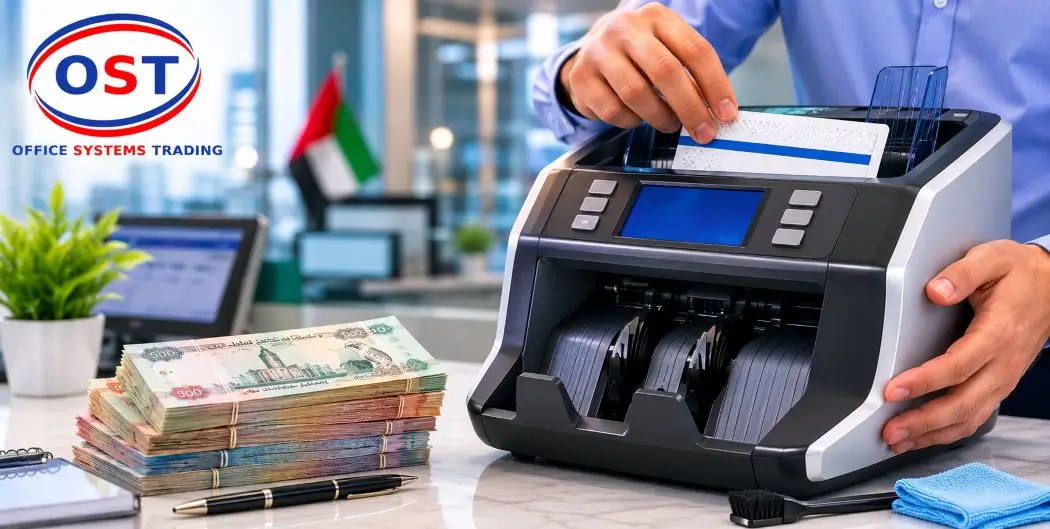
Currency counting machine maintenance UAE businesses rely on isn’t complicated, but it does need to happen on a schedule. Dust, banknote residue and the region’s dry, air-conditioned environment all work quietly against your machine’s sensors and rollers. Left unchecked, that buildup turns into miscounts, jams and false counterfeit alerts at the worst possible moment.
This guide walks you through a practical daily, weekly and monthly maintenance routine, plus troubleshooting tips and a clear answer to the “should I fix this myself or call someone” question. No fluff, no invented numbers, just what actually keeps a currency counter running.
Why Currency Counting Machine Maintenance Matters in the UAE
The UAE runs on cash in more places than people assume. Exchange houses, supermarkets, restaurants and retail counters across Dubai, Abu Dhabi and Sharjah push hundreds, sometimes thousands, of notes through their machines every single day. Every note carries a little dust, a little ink, and occasionally a rogue staple that has no business being anywhere near a sensor.
Over time, that buildup coats the rollers and clouds the UV, MG and IR sensors your machine uses for counterfeit detection. The result is predictable: notes get rejected, totals come out wrong, and staff end up recounting by hand during the exact moment you needed the machine to save time. Regular currency counter maintenance is what stands between you and that headache.
There’s also the money side of it. A well-maintained machine simply lasts longer, which means fewer replacement purchases and fewer emergency repair calls. Think of maintenance as cheap insurance for a machine that’s doing a job you really don’t want to do by hand.
Daily Cleaning Routine for Currency Counters
Daily maintenance takes a few minutes and prevents most of the problems people call a technician for. Here’s what it should cover.
Cleaning the Feed Rollers
Feed rollers grip each note as it passes through the machine, and they pick up ink residue and paper dust with every single note. A quick wipe with a dry, lint-free cloth at the end of the day keeps that buildup from hardening into a grip problem, which usually shows up as skewed or double-fed notes.
Cleaning UV, MG and IR Sensors
These sensors are the whole reason your machine catches counterfeit notes, so they deserve some respect. Wipe them gently with a soft, dry cloth and never spray liquid cleaner directly onto them. A dirty sensor doesn’t just miscount, it can also flag genuine notes as suspect, which is an awkward conversation to have with a customer.
Using a Cleaning Card the Right Way
A currency counter cleaning card is a pre-treated card that runs through the machine like a banknote, pulling dirt off the rollers, feed path and sensor surfaces in one pass. Run it through a few times until it stops picking up visible marks, then discard it. It’s a genuinely satisfying five minutes of your day, oddly enough.
End every shift with a quick exterior wipe-down, including the hopper and output tray. It’s a small habit that catches problems before they become currency counting machine cleaning emergencies.
Weekly Maintenance Tasks
Dust Removal from the Machine Interior
Once a week, go beyond the surface wipe. Use compressed air (non-flammable, and keep the nozzle a few centimetres from any sensor) to blow dust out of the hopper, stacker and internal feed path. High-usage machines, the kind processing cash all day in a busy retail counter, may need this twice a week rather than once.
Inspecting the Note Feeding Mechanism
While the machine is open, take thirty seconds to check the rollers for wear, flat spots or a slick, glazed look. A roller that’s losing grip is usually the culprit behind notes entering at an angle, which the machine reads as an error even though the note itself is fine.
Keep Your Cash Operations Running Without Interruption
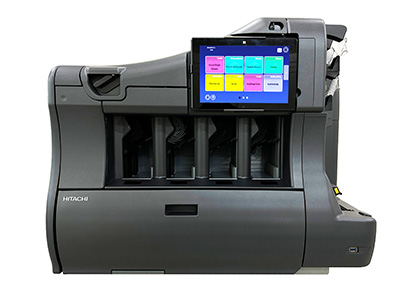
Whether you need a replacement roller, a new cleaning kit, or a full currency counting machine, Ostmena stocks trusted brands like Glory, Hitachi and Mirage for businesses across the UAE.
Browse Currency Counting & Sorting Machines →
Monthly Inspection and Preventive Maintenance
Calibration Checks
Counting accuracy can drift slightly over months of use, especially if your machine handles a mix of old, worn and crisp new notes. Running a known stack through the machine once a month and checking the total against a manual count is a quick way to catch drift before it becomes a real problem.
Roller Wear Inspection
Rollers are consumable parts, not lifetime components. If you notice consistent double-feeds or skewed notes even after cleaning, the rollers have likely worn past the point cleaning can fix, and replacement is the next step.
Businesses that rely heavily on their machines, banks, exchange offices and high-volume retailers, generally schedule a professional inspection two to four times a year, depending on how hard the machine works. It’s a habit worth building into your calendar rather than waiting for a breakdown to remind you.
How to Clean a Currency Counting Machine: Step-by-Step
- Power off and unplug the machine. This isn’t optional, it protects both you and the electronics.
- Remove any remaining notes from the hopper and stacker.
- Wipe the exterior and trays with a soft microfiber cloth.
- Blow out interior dust using compressed air, focusing on the hopper, stacker and sensor housings.
- Run a cleaning card through the feed path several times until it comes out clean.
- Wipe the sensors gently with a dry, soft cloth or a manufacturer-approved swab.
- Power the machine back on and run a test count with a small stack of notes to confirm everything reads correctly.
Seven steps, ten minutes, and a machine that behaves itself for another few weeks.
Common Currency Counter Errors and Troubleshooting
Most currency counter issues trace back to one of a handful of causes. Here’s a quick reference before you assume the worst.
| Symptom | Likely Cause | What to Do |
|---|---|---|
| Machine miscounts notes | Dirty sensors or worn rollers | Clean sensors and rollers; replace rollers if wear persists. |
| Frequent jams | Dust buildup or damaged/folded notes | Inspect and flatten notes before counting; run a full clean. |
| False counterfeit alerts | Dirty UV/MG/IR sensors | Gently clean sensors; avoid liquid cleaners. |
| Notes feeding at an angle | Worn or dirty rollers | Clean rollers; replace them if the grip doesn’t improve. |
| Unusual noise during operation | Loose components or lack of lubrication | Check for loose parts; consult the manufacturer’s manual before lubricating. |
Get in touch with the Ostmena
Team for maintenance support, spare parts, or expert advice on choosing the right currency counting machine for your business.
Contact Ostmena →If a problem repeats after a proper clean, that’s usually your sign to call in a technician rather than keep troubleshooting solo.
How to Extend Your Currency Counter’s Lifespan
- Clean daily, deep-clean weekly, and inspect monthly. Consistency beats intensity here.
- Never overload the hopper past the machine’s rated capacity.
- Check notes for staples, paperclips or rubber bands before feeding them in.
- Keep the machine covered when it’s not in use to block out dust.
- Store and operate it in a dry environment. Humidity and electronics don’t mix well.
- Use genuine or manufacturer-approved spare parts when replacing rollers or belts.
None of this is glamorous advice. It’s closer to flossing than it is to a hack, but it works the same way: small, boring habits prevent big, expensive problems.
DIY Cleaning vs. Professional Servicing: When to Call the Experts
Daily wipes, weekly dusting and cleaning cards are all safe for your own staff to handle. Where it gets more technical, roller replacement, full calibration, or a machine that’s still misbehaving after a proper clean, it’s worth bringing in a professional rather than guessing.
Ostmena supports businesses across Dubai, Abu Dhabi and Sharjah with currency counting machine servicing, genuine parts and replacement units from trusted brands including Glory. If your machine needs more than a cleaning card can fix, that’s exactly the kind of job worth outsourcing.
Need Currency Counter Servicing or Support in the UAE?
If you’re still deciding which machine suits your business before maintenance even becomes a question, our guide to the 7 types of currency counting machines and our buyer’s guide for retail shops are good starting points, alongside our currency counting machine price guide for the UAE.
Frequently Asked Questions
How often should a currency counting machine be cleaned?
Wipe the exterior and trays after every use, run a full internal clean with a cleaning card at least once a week, and deep-clean twice a week if your machine handles high daily volume.
How do you clean a money counting machine?
Power it off, wipe the exterior, blow out dust with compressed air, run a cleaning card through the feed path, gently wipe the sensors, then run a test count before returning it to use.
Why is my currency counter miscounting notes?
The most common causes are dirty sensors, worn rollers, or notes that are folded, torn, or stuck together. A proper clean resolves most miscounting issues.
How can I extend the lifespan of my currency counting machine?
Stick to a regular cleaning schedule, avoid overloading the hopper, keep the machine covered when idle, and replace worn rollers with genuine parts instead of pushing them past their working life.
Do currency counters require regular servicing?
Yes. Alongside routine cleaning, most heavily used machines benefit from professional servicing two to four times a year to catch wear that cleaning alone can’t fix.
Final Thoughts
Good currency counting machine maintenance UAE businesses can rely on comes down to a simple rhythm: wipe daily, clean weekly, inspect monthly, and call a professional when something goes beyond a cleaning card’s job description. It’s not exciting work, but it’s the difference between a machine that quietly does its job for years and one that turns every busy afternoon into a small crisis.
Explore Ostmena’s full range of currency counting and sorting machines, or reach out to the team for maintenance support tailored to your business.
Explore Ostmena’s full range of currency counting and sorting machines
or reach out to the team for maintenance support tailored to your business.
Browse the full range and find your fit →