





Blogs
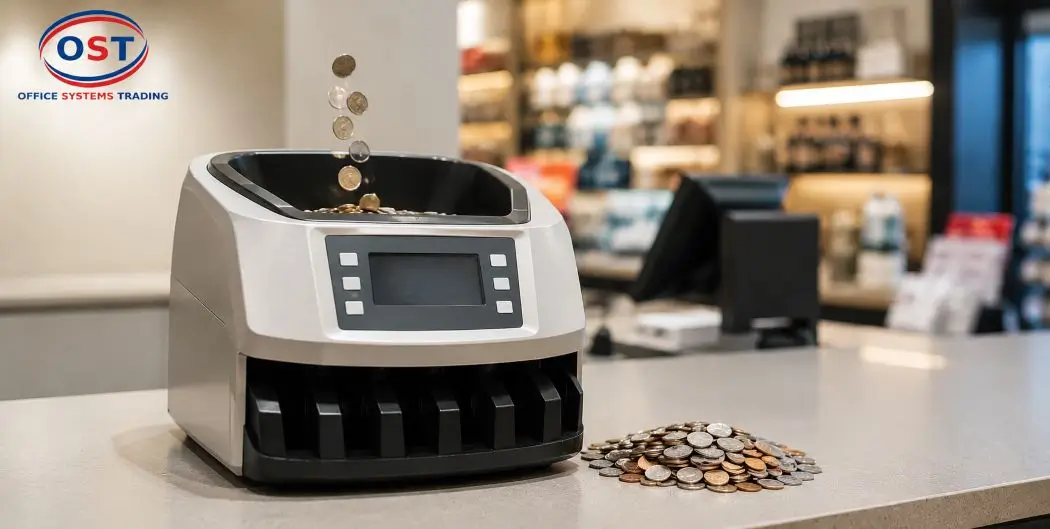
- Step 1: Unbox and Position the Machine Correctly
- Step 2: Get Familiar with the Control Panel and Display Screen
- Step 3: Set the Denomination and Counting Mode
- Step 4: Load Coins into the Hopper
- Step 5: Start the Counting or Sorting Cycle
- Step 6: Monitor the Output Tray and Collection Bins
- Step 7: Read and Confirm the Final Count
- Step 8: Handle a Coin Jam Safely
- Ready to Upgrade Your Cash Handling Process?
- Step 9: Perform Routine Cleaning and Maintenance
- Step 10: Calibrate and Reset When Needed
- Why Coin Counting Machines Matter for UAE and GCC Businesses
- Frequently Asked Questions
- Final Thoughts
- Looking for a reliable coin counting machine for your business?
Coins pile up fast. One busy day at a till, a vending route, or a bank counter, and suddenly you’re staring at a bucket of loose change that needs to become a number. A coin counting machine takes that pile and turns it into an accurate total in minutes, not hours.
This guide walks you through exactly how to use a coin counting machine, from the first power-on to the moment you clear a jam like a pro. Whether you run a retail store in Dubai or manage cash operations anywhere across the GCC, these 10 steps will get you counting coins correctly and confidently.
Let’s get into it.
Step 1: Unbox and Position the Machine Correctly
Before you touch a single coin, give your machine a proper home. Place it on a flat, stable surface, close enough to a power outlet that you’re not relying on a stretched extension cord.
Leave clearance space around the output tray and collection bin. Coins need somewhere to go once they’re sorted, and a cramped setup causes spillage and jams before you’ve even started.
Keep the machine away from humid or dusty areas. Coin counters have sensors and rollers inside, and dust is not their friend (more on that later).
Step 2: Get Familiar with the Control Panel and Display Screen
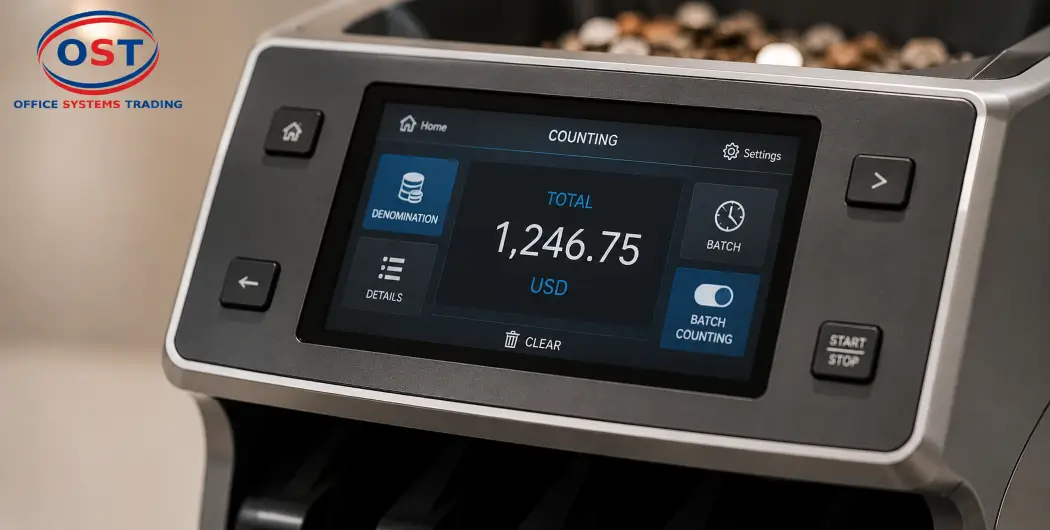
Every coin counting machine relies on a control panel or touchscreen to run the show. Take a few minutes to explore it before you load your first batch of coins.
You’ll typically find a display screen showing running totals, a menu for denomination settings, and a toggle for batch counting mode. Understanding this panel now saves you from fumbling through menus while a queue is waiting behind you.
Insert Image Here: Close-up shot of a coin counter’s control panel and touchscreen display.
Step 3: Set the Denomination and Counting Mode
Denomination Recognition Explained
Coin counting machines identify denomination by size, weight, and thickness. Most models let you choose between counting a single denomination or handling mixed coin counting, where the machine sorts different coin types automatically.
Select the mode that matches your task. If you’re counting a jar of assorted coins, mixed mode does the heavy lifting. If you’re processing a single denomination for bank deposit, single-denomination mode runs faster and simpler.
Step 4: Load Coins into the Hopper
Coin Tray Loading Best Practices
This is where the actual counting begins. Pour your coins into the hopper, but don’t overload it. Every machine has a hopper capacity, and pushing past that limit is one of the fastest ways to trigger a jam.
Automatic feeding systems pull coins from the hopper into the counting mechanism on their own, so resist the urge to help by pushing coins in manually. Let the machine do its job.
Remove any obvious debris first: paper clips, rubber bands, or bent coins. These are small things, but they cause big headaches once they’re inside a sorting head.
Insert Image Here: Diagram showing coins loaded into the hopper with directional flow arrows.
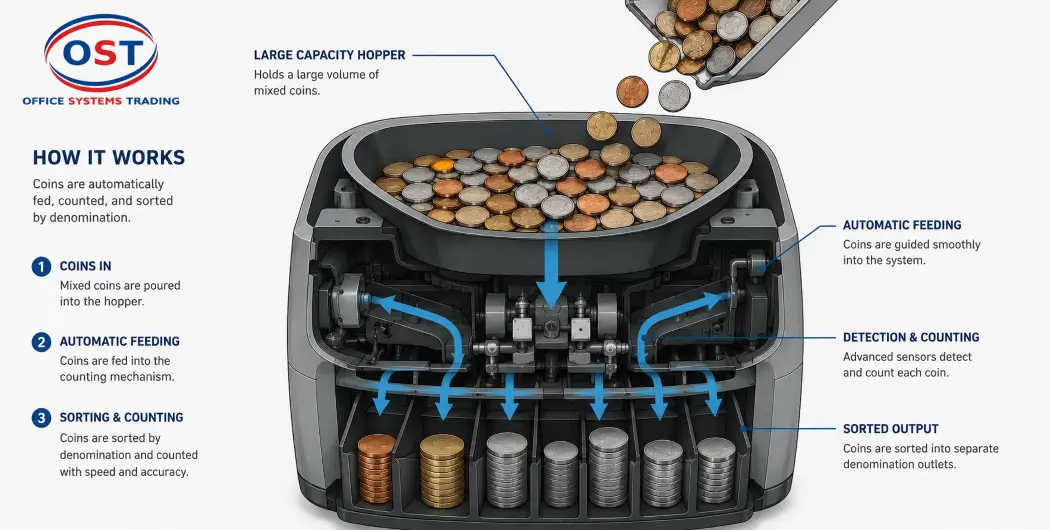
Step 5: Start the Counting or Sorting Cycle
Once your coins are loaded and your settings are confirmed, start the cycle. Most machines display the running total live on the screen as coins move through.
If you need a fixed quantity per bag or roll, batch counting mode stops the machine automatically once it hits your target number. This feature alone saves retail and banking staff a huge amount of manual recounting.
Step 6: Monitor the Output Tray and Collection Bins
As the machine sorts, coins land in designated output trays or collection bins by denomination. Keep an eye on these during high-volume runs.
Swap out a bag or bin before it overflows. A full collection bin backs up the sorting mechanism, and that backup often looks like a jam even when it isn’t one.
Step 7: Read and Confirm the Final Count
When the cycle finishes, check the display screen for your final total. Cross-check this number against your expected amount if you’re reconciling a till or a cash drawer.
Some models let you print or export a count report. If your machine supports this, use it. A printed record is a small habit that builds a lot of trust during audits.
Step 8: Handle a Coin Jam Safely
Coin Jam Removal Steps
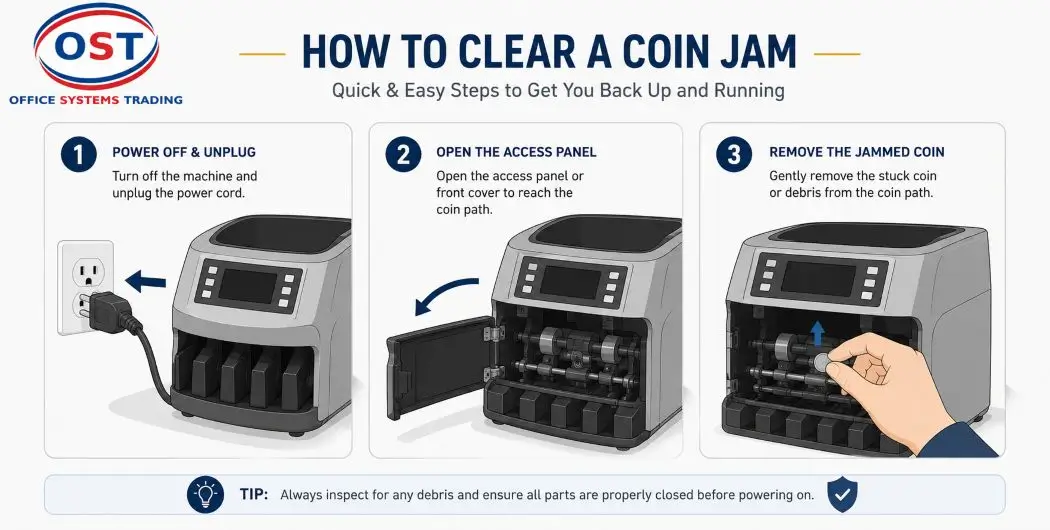
Jams happen. It’s not a sign you did something wrong; it’s a sign the machine is working with real-world coins that aren’t always perfectly round or clean.
Power off the machine first, every time. Never try to clear a jam while the unit is running.
Open the access point and locate the jam, usually near the hopper feed or the sorting head. Gently remove the stuck coin or debris, close the unit back up, and restart the cycle.
Insert Image Here: Illustration showing the safe access point for clearing a coin jam.
Ready to Upgrade Your Cash Handling Process?
If manual coin counting is slowing your team down, it might be time for an upgrade. Explore Ostmena’s full range of Coin Counting & Sorting Machines, featuring trusted brands like CHIHUA, GLORY, and RIBAO, built for retail stores, banks, and vending operations across the UAE and GCC.
Browse Ostmena’s full range of Coin Counting and Sorting Machines →Step 9: Perform Routine Cleaning and Maintenance
Cleaning Sensors and Rollers
A clean machine is an accurate machine. Coin counters rely on optical and mechanical sensors to detect denomination, and dust buildup throws off that accuracy over time.
Wipe down the exterior daily with a dry cloth. Clean the internal sensors and rollers on a regular schedule, more often if you’re running high coin volumes daily, which is common across busy UAE and GCC retail floors.
Routine maintenance is cheaper than a repair call. Treat it as part of your daily closing routine, not an occasional chore.
Step 10: Calibrate and Reset When Needed
If you notice counts drifting or becoming inconsistent, it’s time to recalibrate. Most machines have a straightforward calibration setting in the main menu.
Pay attention to error messages on the display screen. They’re not random noise; they usually point to a specific issue like a hopper overload or a sensor blockage.
When in doubt, a full machine reset clears minor glitches. If the problem persists after a reset and recalibration, that’s your cue to contact support rather than keep troubleshooting on your own.
Why Coin Counting Machines Matter for UAE and GCC Businesses
Cash handling is still a daily reality for retail, banking, and vending operations across the UAE, Saudi Arabia, Qatar, Kuwait, Bahrain, and Oman. A coin counting machine in Dubai, Abu Dhabi, or Riyadh does the same job a team of staff used to do manually: it turns hours of counting into minutes.
For high-volume businesses, that means fewer counting errors, faster till reconciliation, and staff hours freed up for actual customer service instead of coin sorting.
Frequently Asked Questions
Position the machine, set your denomination and counting mode, load coins into the hopper, and start the cycle. The display screen shows your running total as the machine counts and sorts.Position the machine, set your denomination and counting mode, load coins into the hopper, and start the cycle. The display screen shows your running total as the machine counts and sorts.
Pour coins into the hopper without exceeding its capacity. Remove debris like paper clips or bent coins first, and let the automatic feeding system pull coins in on its own.
Yes. Most machines offer a mixed coin counting mode that identifies each denomination by size and thickness, then sorts them into separate output bins automatically.
Overloading the hopper, debris mixed in with coins, bent or damaged coins, and worn rollers are the most common causes of jams.
Wipe down the exterior daily. Clean the internal sensors and rollers on a regular schedule, and increase that frequency if your business processes high coin volumes every day.
Final Thoughts
Using a coin counting machine correctly comes down to a handful of habits: proper setup, correct denomination settings, sensible hopper loading, and regular cleaning. Follow these 10 steps, and you’ll spend less time troubleshooting and more time actually running your business.
Looking for a reliable coin counting machine for your business?
Browse Ostmena’s Coin Counting & Sorting Machines or visit the Ostmena homepage to see the full range of cash handling equipment available across the UAE and GCC. Have a machine-specific question? Reach out to the Ostmena team directly for guidance suited to your setup.
👉 Get in touch with Ostmena